
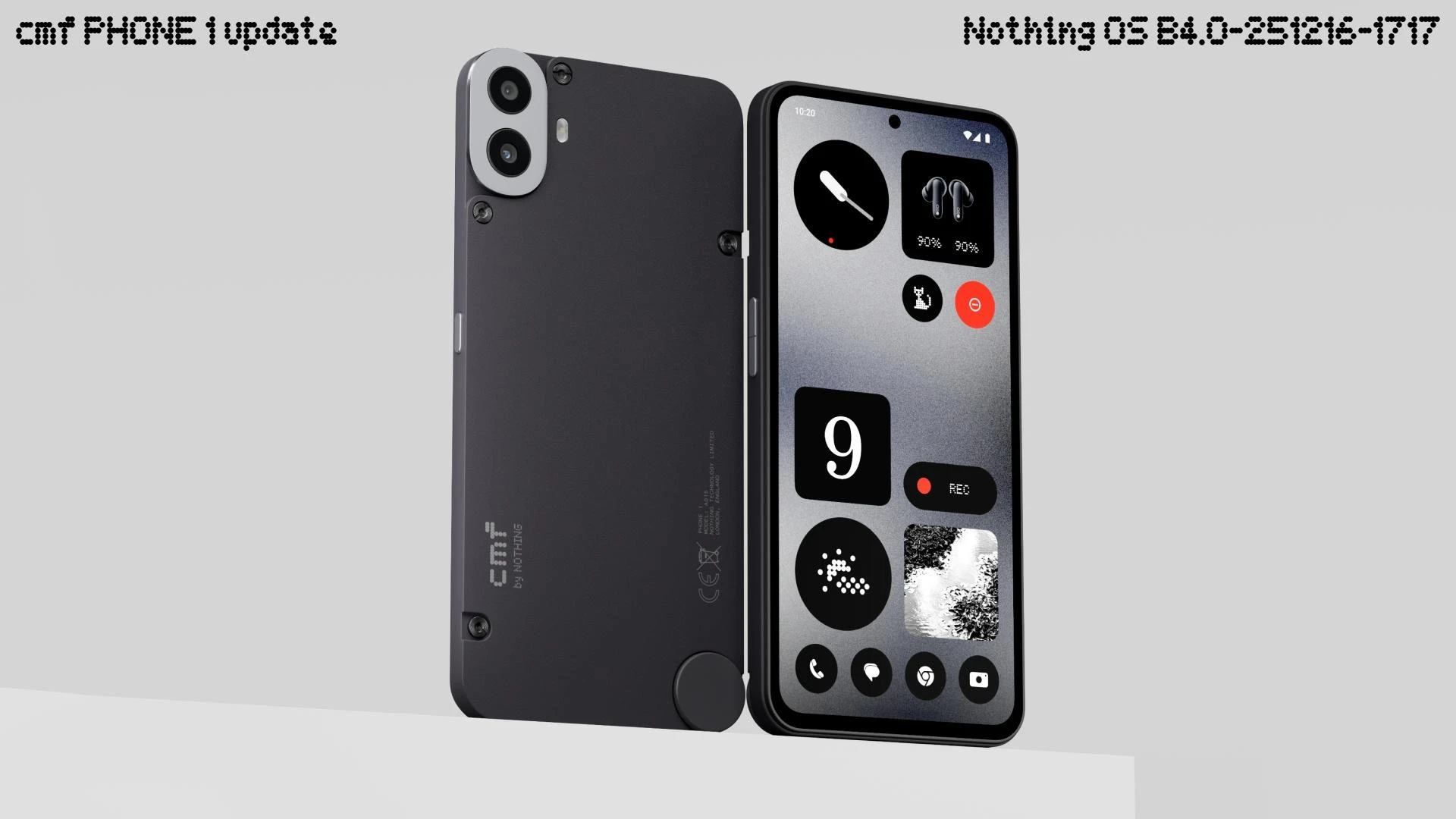
Best New Year gift ever? While other brands are still testing Android 15, CMF by Nothing has pulled off a shocker. Starting yesterday (December 26), the company began rolling out the stable Nothing OS 4.0 update based on the latest Android 16 for CMF Phone 1 users in India.
This is a massive jump, bringing a cleaner interface, new customization tools, and features fans have been asking for since day one.
If you own the “screwdriver phone,” here is everything you need to know before you hit that Update button.
Update Overview
- Version: Nothing OS 4.0 (Stable)
- Android Base: Android 16
- Update Size: Approx 2.03 GB
- Build Number:
Tetris-B4.0-251216-1717 - Rollout Status: Phased rollout (started Dec 26, 2025).
Top 5 New Features
Nothing OS 4.0 isn’t just a number change; it brings visual tweaks that make the phone feel premium.
A. Extra Dark Mode
Finally! The new Extra Dark Mode deepens the blacks across the entire UI. It improves contrast and, more importantly, saves battery on that AMOLED screen by turning off pixels more aggressively.
- How to enable: Settings > Display > Dark Theme > Extra Dark.
B. Hidden Icons (Privacy Mode)
You can now officially hide apps from the App Drawer without needing a third-party launcher.
- How to access: Swipe right in the App Drawer to reveal the “Hidden Space” (protected by your fingerprint or PIN).
C. New Widget Sizes (1×1 & 2×1)
The home screen gets more customizable. You can now resize official widgets like Weather, Pedometer, and Screen Time into smaller 1×1 or 2×1 tiles. This is great for creating dense, information-heavy home screens without wasting space.
D. Refreshed Status Bar
The status bar icons (WiFi, Battery, Signal) have been redesigned for a cleaner look. The layout is now “more intuitive” and less cluttered, making it easier to read at a glance.
E. Smart Pop-Up View
Multitasking gets better. You can now have two floating windows open simultaneously for easier switching between tasks (e.g., Calculator and Notes) without closing your game or video.
The “Playground” (New Alpha Feature)
This update introduces a new community platform called Playground.
- It allows users to download community-created content like Camera Presets and EQ Profiles.
- Why it matters: You can now download a “Cinematic” color profile created by a pro photographer and apply it directly to your CMF camera app!
Early Bugs & Battery Report
Since the update is only 24 hours old, here is what early users on the Nothing Community and X (Twitter) are reporting:
- Heating: The phone warms up significantly during the installation process (this is normal).
- Battery Drain: Some users reported 10-15% extra drain in the first few hours.
- Fix: This is usually due to background optimization (ART compilation). Give the phone 2-3 full charge cycles to settle down.
- Jitter: Minor lag in the “Recent Apps” gesture has been spotted, but a restart usually fixes it.
Verdict: Should You Update?
- YES, Update Immediately if: You want the fresh Android 16 experience, the new Dark Mode, and the privacy features.
- WAIT (3-4 Days) if: You are a heavy gamer or travel a lot. Wait for the battery optimization reports to stabilize before installing.
How to Update?
- Go to Settings > System.
- Tap on System Update.
- Click Download & Install.
- Note: Ensure you have at least 30% battery and 4GB free storage.
Frequently Asked Questions (FAQs)
Q1: Is this the last update for CMF Phone 1?
A: No! The CMF Phone 1 is promised 2 years of Android updates. Since it launched with Android 14, receiving Android 16 is fantastic, but it will continue to receive security patches and feature drops.
Q2: Does this update improve the camera? A:
Yes, Nothing OS 4.0 adds new Camera Presets, intensity adjustments for filters, and faster shutter speeds.
Q3: Why haven’t I received the update yet?
A: Updates are rolled out in “batches” to prevent server crashes. If you don’t see it yet, check again in 48 hours.